
Why is a Website SLA so important?
Your website goes down at 11pm on a Tuesday. A product page returns a 500 error. Your checkout stops processing mid-campaign. What happens next depends almost entirely on whether you have a Website Service Level Agreement (SLA) and what it actually says.
Most businesses discover the gaps in their support contract at the worst possible moment. This guide covers what a website SLA should include in 2026, what to look for in the small print, and how to negotiate terms that work in your favour rather than your agency's.
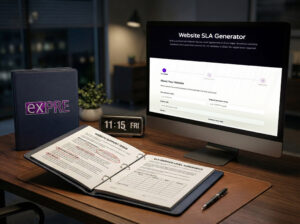
Not time to read? Build your website SLA now!
Set uptime targets, response times, and service credits in three steps. Free, no registration.
What a website SLA covers
A Service Level Agreement is a contract between you and your website support provider. It defines what they will do, how quickly, and what happens when they fall short. Without one, the only commitment you have is informal, with no financial consequence for the provider when things go wrong.
A complete website SLA covers six areas:
| Area | What it defines |
|---|---|
| Uptime guarantee | The minimum availability percentage for your site, and how downtime is measured |
| Response times | How quickly the provider acknowledges an issue. Acknowledgement, not resolution |
| Resolution times | Target time to restore service, tiered by severity |
| Monitoring | How performance and availability are tracked, and who is notified automatically |
| Maintenance windows | When planned downtime for updates can occur, and how much notice you receive |
| Escalation and remedies | What happens if the provider misses their targets: credits, refunds, or penalties |
An SLA without all six is incomplete. Many agencies offer "website support" with defined response times and no mention of remedies. That is not an SLA; it is a best-efforts promise with no commercial consequence for failure.
Uptime targets: what the numbers mean
99.9% uptime is the figure most managed hosting providers advertise. Here is what those numbers translate to in practice:
| Uptime target | Allowed downtime per year | Allowed downtime per month |
|---|---|---|
| 99.0% | 87.6 hours | 7.3 hours |
| 99.5% | 43.8 hours | 3.6 hours |
| 99.9% | 8.7 hours | 43.8 minutes |
| 99.95% | 4.4 hours | 21.9 minutes |
| 99.99% | 52.6 minutes | 4.4 minutes |
For most business websites, 99.9% is a workable baseline. E-commerce sites processing live transactions, or any site running active paid campaigns, should target 99.95% or above. The direct revenue cost of downtime justifies the higher requirement. Anything below 99.9% from a professional provider should be questioned.
Also worth checking: does the SLA measure availability at the infrastructure layer only, or does it cover the full application, including CMS availability, plugin faults, SSL certificate expiry, and application errors? Most hosting SLAs cover the server. A website SLA should cover the full stack.

Response time tiers: how severity levels work
A well-structured SLA classifies issues by severity and assigns separate response and resolution targets to each tier. A standard model:
| Priority | Definition | Response target | Resolution target |
|---|---|---|---|
| P1: Critical | Site completely down, checkout broken, data breach active | 30 minutes | 4 hours |
| P2: High | Major feature broken, significant performance degradation | 2 hours | 8 hours |
| P3: Medium | Minor feature fault, non-critical page errors | 4 business hours | 3 business days |
| P4: Low | Content updates, minor visual fixes, non-urgent changes | 1 business day | 5 business days |
Without severity tiers, every issue joins the same queue. A broken checkout competes with a font size request for attention. That is a contract design problem, not a staffing one.
Worth specifying in writing: what "response" actually means. An automated ticket acknowledgement is not the same as a qualified person reviewing the issue. Your SLA should be explicit about which applies.

Six clauses your SLA needs in 2026
SLA templates written before 2023 miss several areas that are now material for most websites. The technical and legal context has changed considerably since standard templates were drafted.
1. Automated monitoring and alerting
Tools such as Datadog, Better Uptime, and StatusCake detect issues before users report them, typically within seconds. Your SLA should specify that monitoring is automated and continuous, not reliant on a complaint reaching the support queue. State the check frequency clearly. 60-second intervals is the current professional standard.
2. Core Web Vitals performance thresholds
Google's ranking signals now include real-world performance data: Largest Contentful Paint, Interaction to Next Paint, and Cumulative Layout Shift. A current SLA sets a performance baseline, LCP under 2.5 seconds and INP under 200ms, and commits to investigating when metrics fall outside it. Without this clause, slow pages are no one's contractual problem.
3. AI-generated content responsibilities
Where your agency produces content using AI tools, the SLA should specify who is responsible for factual accuracy, copyright clearance, and compliance with the Online Safety Act 2023. This is unsettled territory, commercially and legally. Leaving it undefined creates risk for both parties.
4. Security patching timelines
Plugin vulnerabilities are the most common entry point for WordPress compromises. Your SLA should state how quickly critical patches are applied after a CVE is published. 24 to 48 hours for critical vulnerabilities is the current standard. Monthly patch cycles leave sites exposed for weeks at a time.
5. Data protection obligations
Under UK GDPR, your website support provider is likely a data processor. The SLA, or an accompanying Data Processing Agreement, should define how personal data is handled during support access, how long copies are retained, and what procedure applies if a breach is discovered during maintenance. This is a legal requirement.
6. Third-party integration coverage
Most websites run on a stack of third-party services: payment gateways, CRM systems, booking platforms, email providers. When an integration fails, the SLA should define which integrations are in scope and what support means for each, whether investigation only or active coordination with the vendor.
Red flags in a weak SLA
These phrases indicate a low-protection contract:
- "Reasonable endeavours": not a target, not a commitment, and effectively unenforceable as a remedy.
- "Subject to availability" in the response time clause: the phrase removes the response commitment you thought was binding.
- No exclusions list: if nothing is excluded, nothing is meaningfully guaranteed.
- Credits only, no exit rights: if an SLA is persistently breached, you should be able to leave without a penalty charge.
- Force majeure covers hosting outages: a cloud outage at AWS or Azure is not an unforeseeable event. It should sit in the provider's risk model, not serve as an automatic exclusion.
- No definition of "downtime": partial outages, degraded performance, and persistent 503 errors are all forms of downtime. Contracts that count only complete unavailability set a very high bar for triggering any remedy.
How to negotiate your SLA
Agencies use standard templates. Most clients do not read them carefully. These are the terms worth addressing before signing:
- Define P1 in writing. Agree what constitutes a critical incident. "Site down" is too vague. Include checkout failures, login breakage, and active data exposure scenarios in the definition.
- Ask for monitoring dashboard access. A professional provider will share uptime data so you can verify availability independently. Reluctance to share it is itself a signal worth noting.
- Specify the remedy in commercial terms. Service credits are useful. Credits applied against the next invoice are better. Agree a credit percentage for each hour of breach beyond the threshold.
- Include an annual review clause. As your site grows and your stack changes, the SLA should change with it. Build a contractual review into the agreement every 12 months.
- Check the notice period. 90 days is standard. Anything longer needs justification given the pace of change in digital services.
Website support at EXPRE
Our website support contracts cover 99.95% uptime for managed hosting clients, tiered P1 to P4 response targets, automated monitoring at 60-second intervals, critical security patching within 48 hours of CVE publication, Core Web Vitals tracking, and a UK GDPR-compliant Data Processing Agreement.
If you are reviewing your current support arrangement, or do not have a formal SLA in place, talk to us about what a proper agreement looks like for your site.
Want to build your website SLA now?
Use our SLA Generator. Set uptime targets, response times, and service credits in three steps.
Free, no registration.